Duplicate Code Signing on Xcode with Any iOS SDK
Working with Xcode code signing is a pain. You may have encountered a situation where there are more than two code signing identity's in Xcode. This means that you potentially have to change four different code signing settings to update your app, rather than just two. I think this is cruft from upgrading to the newest Xcode version or something. Here's what it looks like and here's how to fix it. It's very annoying when developing and testing with adhoc and app store builds.
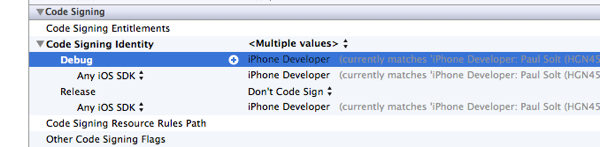
The issue is visible with the "Any iOS SDK" seen as a subitem to the Debug and the Release builds. Things won't work correctly if the two don't match in my experience. So I end up having to change two at a time.
Solution
You can close Xcode or keep it open. It seems to work either way before you start the next steps.
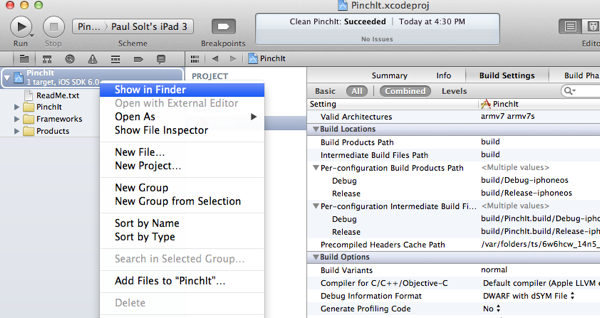
1.Open your project folder in finder. (Right click project in Xcode and choose "Show in Finder")
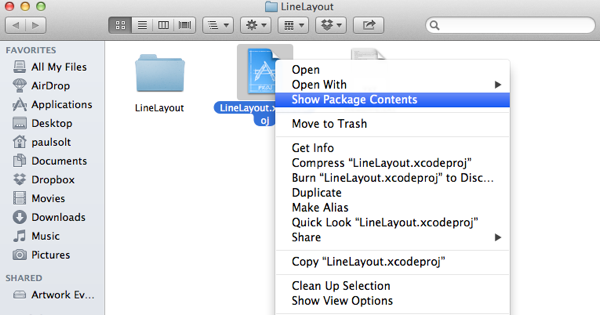
2. Right click on the Xcode project file in Finder -> "Show Package Contents"
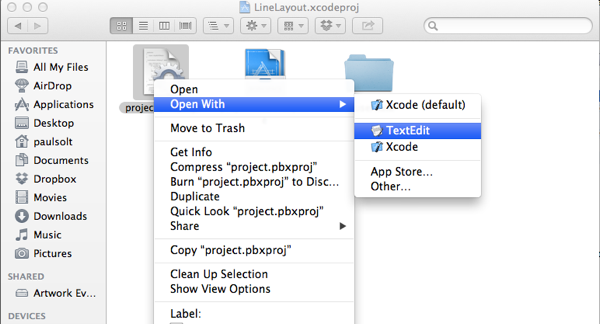
3. Right click on the project.pbxproj and choose "Open With" -> "TextEdit"
4. Search for "Sign" and delete any lines that look like the following. Xcode will regenerate, so don't worry about deleting them. I believe the first two are the root of the problem.
"CODE_SIGN_IDENTITY[sdk=iphoneos*]" = "iPhone Developer";
"CODE_SIGN_IDENTITY[sdk=iphoneos*]" = "iPhone Developer";
CODE_SIGN_IDENTITY = "iPhone Developer";
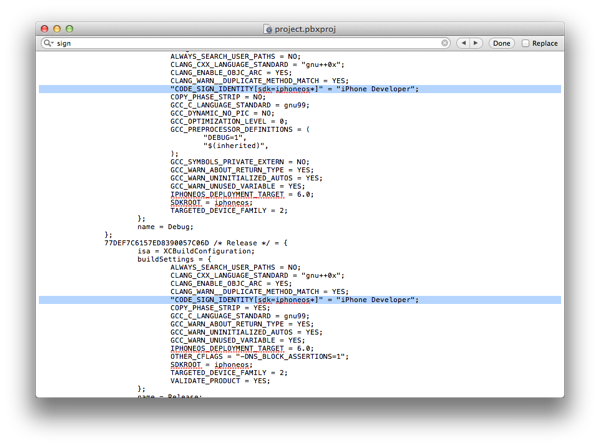
5. Open the project settings in Xcode and see the duplicate "Any iOS SDK" are removed and Xcode regenerated the default Code Sign Identities.
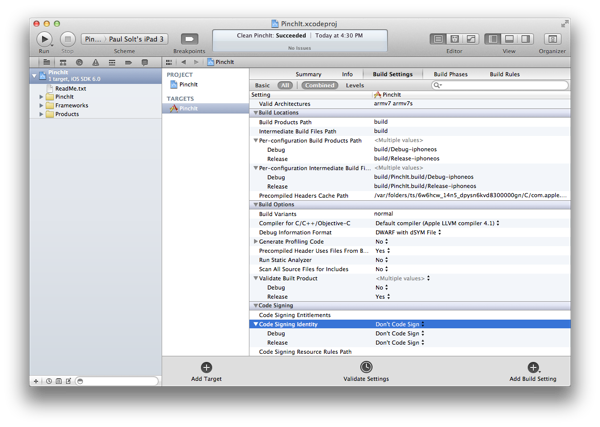
6. Update with your credentials for Debug/Release.

Enjoy.