Xcode 4 has drastically improved iPhone unit testing and Mac unit testing from my previous post, iPhone Unit Testing Explained - Part I Creating the unit testing target is easy and you can start writing test code in under 5 minutes.
The biggest hassle in testing is setting up the project correctly, and Xcode 4 makes it simple. If you read Part I, I pushed for GHUnit because of the GUI interface, but now Xcode's built in testing is enough to get you started. If you need a GUI, add GHUnit later, but start writing your tests today, since they're compatible with GHUnit when you decide to integrate with it.
Testing is important to start from the beginning or you will never have the motivation to write the tests unless your boss demand
Getting Started
To start writing unit tests you have two options, either create a new project with unit tests or add unit tests to an existing project.
New Project with Unit Tests
Create a new project and make sure the checkbox is enabled for unit tests.

Add Unit Tests Target to Existing Projects
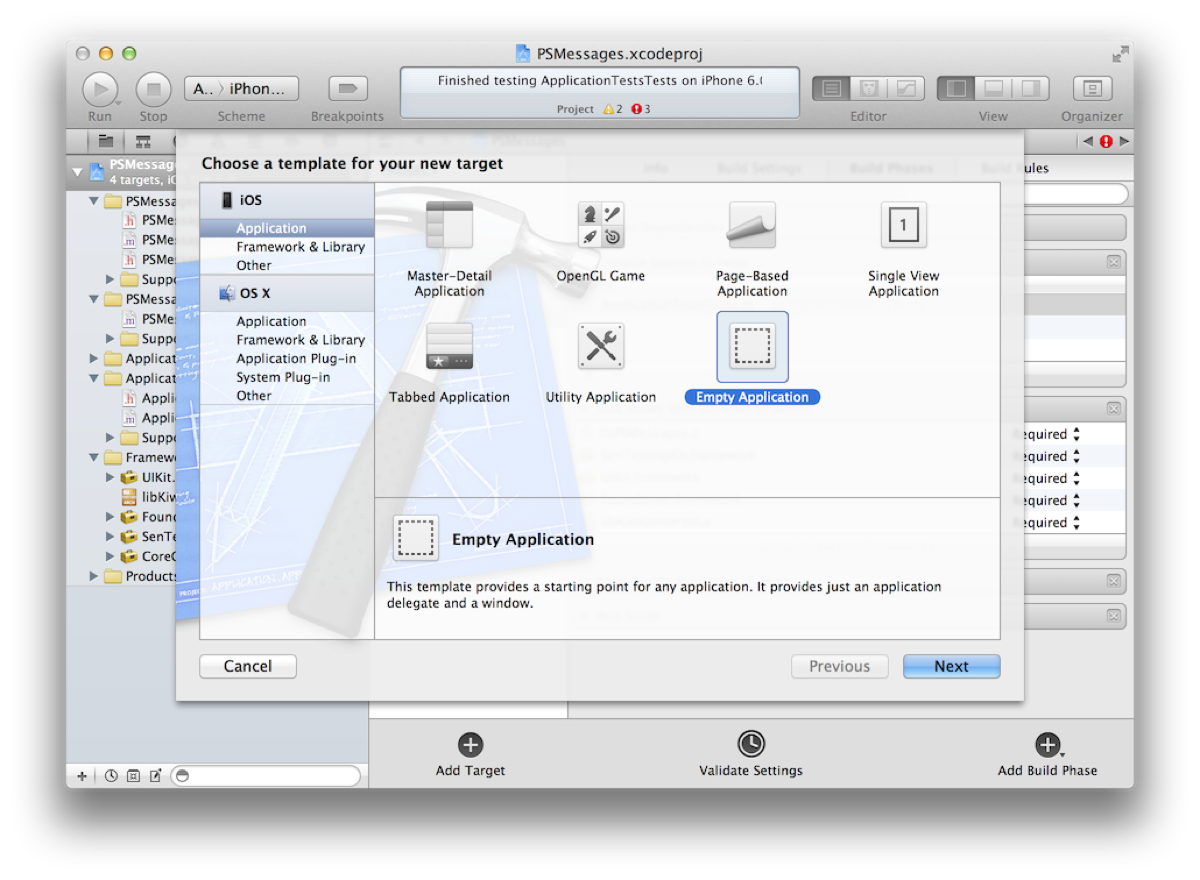
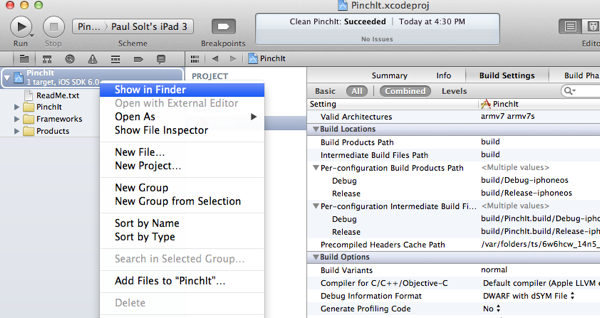
Add a unit test target to your project by clicking on your Project (top left) -> Add Target (bottom middle) -> iOS -> Other -> Unit Testing Bundle.

(Optional) Share the Target and Testing Scheme
If you add a unit test target, you'll most likely want to share your testing scheme with your team over version control (git, svn, etc.) Otherwise you're teammates will have to setup for themselves.
Goto Editor -> Manage Schemes -> Click Shared next to the Unit Test

Adding Resources
When you want to test code or import resources like images or data files you'll need to tell the testing target about the resources. There are two ways, you can do it when you first add the resource to the project or you can do it by editing the Build Phases for the unit test target.
Adding New Resources to the Unit Test Target
Click on File -> Add Files to "TestProject" -> Click on the checkbox on unit test target and Copy items

Adding Existing Resources to the Unit Test Target
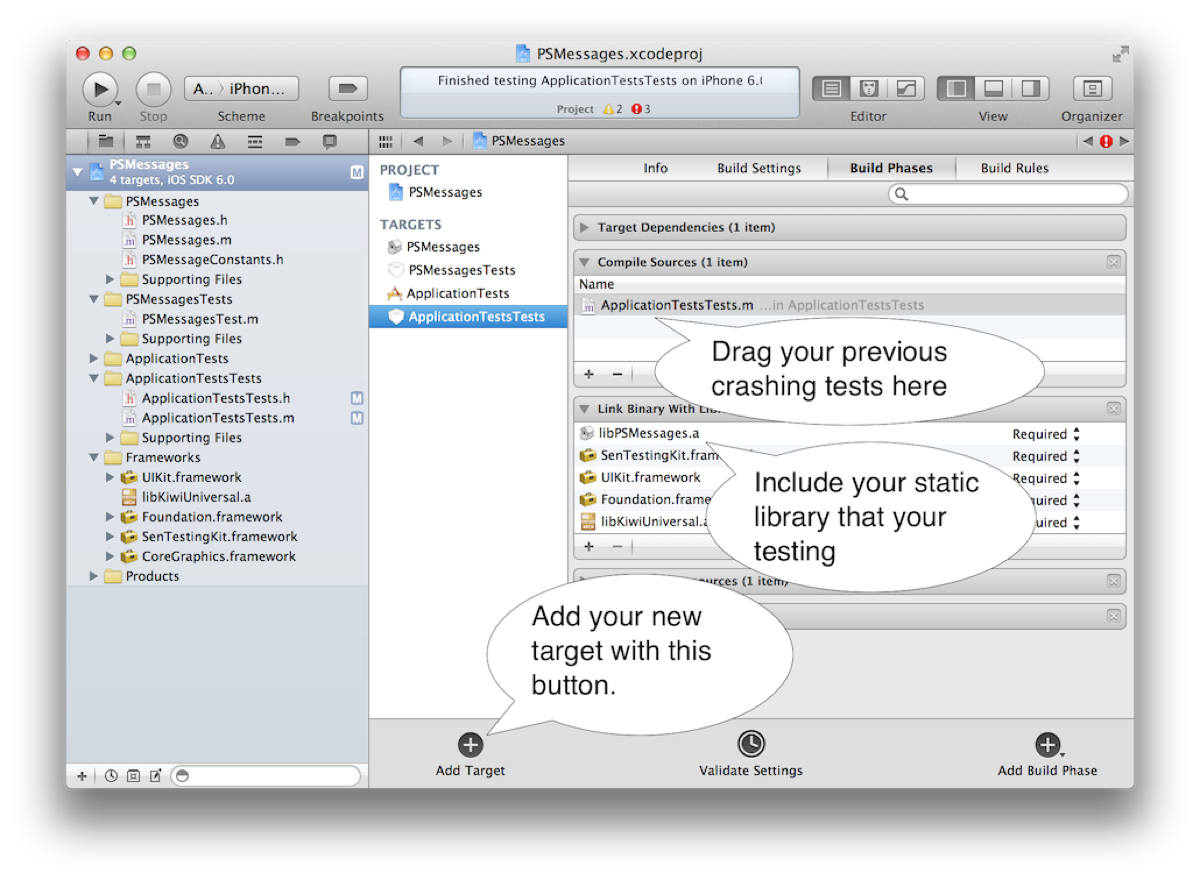
Click on your project "TestProject" -> Build Phases -> Expand one of three (Compile Sources, Link Binary With Libraries, or Copy Bundle Resources)

Resource Paths are Different!
Many assumptions that your bundle is the main bundle will cause problems when testing. (Especially when adding tests to existing code) Look at the difference in bundles, the main bundle isn't what you'd expect in a unit test.
NSString *mainBundlePath = [[NSBundle mainBundle] resourcePath];
NSString *directBundlePath = [[NSBundle bundleForClass:[self class]] resourcePath];
NSLog(@"Main Bundle Path: %@", mainBundlePath);
NSLog(@"Direct Path: %@", directBundlePath);
NSString *mainBundleResourcePath = [[NSBundle mainBundle] pathForResource:@"Frame.png" ofType:nil];
NSString *directBundleResourcePath = [[NSBundle bundleForClass:[self class]] pathForResource:@"Frame.png" ofType:nil];
NSLog(@"Main Bundle Path: %@", mainBundleResourcePath);
NSLog(@"Direct Path: %@", directBundleResourcePath);
Output:
Main Bundle Path: /Applications/Xcode.app/Contents/Developer/Platforms/iPhoneSimulator.platform/Developer/SDKs/iPhoneSimulator5.1.sdk/Developer/usr/bin
Direct Path: /Users/paulsolt/Library/Developer/Xcode/DerivedData/PhotoTable-dqueeqsjkjdthcbkrdzcvwifesvl/Build/Products/Debug-iphonesimulator/Unit Tests.octest
Main Bundle Path: (null)
Direct Path: /Users/paulsolt/Library/Developer/Xcode/DerivedData/PhotoTable-dqueeqsjkjdthcbkrdzcvwifesvl/Build/Products/Debug-iphonesimulator/Unit Tests.octest/Frame.png
Problem: My Unit test has a nil image, data file, etc. Why?
The unit test doesn't use the same bundle for resources that you're accustomed to when running an app. Therefore, the resource we're trying to load cannot be found. You'll need to make changes to the code to support testing external resources (images, data files, etc). For example the following code
- (UIImage *)resizeFrameForImage:(NSString *)theImageName {
UIImage *image = [UIImage imageNamed:theImageName];
// ... do magical resize and return
return image;
}
Solution 1: Change the function parameters
Functions like these are semi-black boxes that aren't ideal for testing. You want access to all your inputs/outputs, especially if we're working with any kind of file resource. To fix it, just pass in the resource from the unit test, rather than having the function load it from a NSString object.
- (UIImage *)resizeFrameForImage:(UIImage *)theImage {
// ... do magical resize and return
return theImage;
}
Solution 2: Change the resource loading inside the function
If you need to load the resource in the function, you can alternatively change the way it is loaded. You need to stop using UIImage's imageNamed: method and switch to imageWithContentsOfFile: This way you can pass in the resource with the correct path, however it'll change logic elsewhere in your app.
- (UIImage *)resizeFrameForImage:(NSString *)theImagePath {
UIImage *image = [UIImage imageWithContentsOfFile:theImagePath];
// ... do magical resize and return
return image;
}
Solution 3: Load resources using the bundle for the current class
- (UIImage *)resizeFrameForImage:(NSString *)theImageName {
// Note: There are several ways you can write it, but make sure you include
// the extension or you'll have trouble finding the resource
// 1. NSString *imagePath = [[NSBundle bundleForClass:[self class]] pathForResource:@"Image.png" ofType:nil];
// 2. NSString *imagePath = [[NSBundle bundleForClass:[self class]] pathForResource:@"Image" ofType:@"png"];
NSString *imagePath = [[NSBundle bundleForClass:[self class]] pathForResource:theImageName ofType:nil];
UIImage *image = [UIImage imageWithContentsOfFile:imagePath];
// ... do magical resize and return
return image;
}
My First Test
Code completion in Xcode will make writing tests easy. To test different things you'll use the following macros:
- STAssertNotNil(Object, Description);
- STAssertEquals(Value1, Value2, Description);
- STAssertEqualObjects(Object1, Object2, Description);
Example: MyTest.m
@implementation TestImagePrintHelper
- (void)setUp
{
[super setUp];
// Set-up code here.
}
- (void)tearDown
{
// Tear-down code here.
[super tearDown];
}
- (void)testName {
NSString *testFirstName = @"Paul";
STAssertEqualObjects([person firstName], testFirstName, @"The name does not match");
}
@end
The STAssertEqualObjects macro will invoke the object's isEqual method, make sure you write one. See the section below. If you used the STAssertEquals it will test for primitive/pointer equality, not object equality.
Testable Code
Writing testable code requires that you add some additional functions that might feel optional before you decided to start testing.
1. Create a isEqual method for your class.
Most of the time you'll want to compare if the object is the correct object. This always requires that you write an isEqual method, otherwise you'll be using the NSObject isEqual test and it'll compare address pointers for the objects.
Example: Person.m
- (BOOL)isEqual:(id)other {
if (other == self) { // self equality, compare address pointers
return YES;
}
if (!other || ![other isKindOfClass:[self class]]) {
// test not nil and is same type of class
return NO;
}
return [self isEqualToPerson: other]; // call our isEqual method for Person objects
}
- (BOOL)isEqualToPerson:(Person *) other {
BOOL value = NO;
if (self == other) { // test for self equality
value = YES;
} elseif([[selffirstName] isEqualToString:[other firstName]] &&
[self age] == [other age]) {
// Add any other tests for instance variables (ivars) that need to be compared
value = YES;
}
return value;
}
2. Create a description method for your class.
This is what will output on the command line, rather than the objects memory address. It can be also called when you decide to print the value in a tests
Example: Person.m
- (NSString *)description {
return [NSStringstringWithFormat:@"Person Name: %@ Age: %d", [self firstName], [self age]];
}
Example: Test using the description method, and we'll see the first name and age printed like it was formatted in our description method.
STAssertEqualObjects([personfirstName], testFirstName, @"The name does not match %@", person);
Further reading in Apple's Unit Testing Guide is available. Now you have the basics for unit testing. The next part will provide an example project using resources and providing unit tests.
(Part III: Coming Soon)